
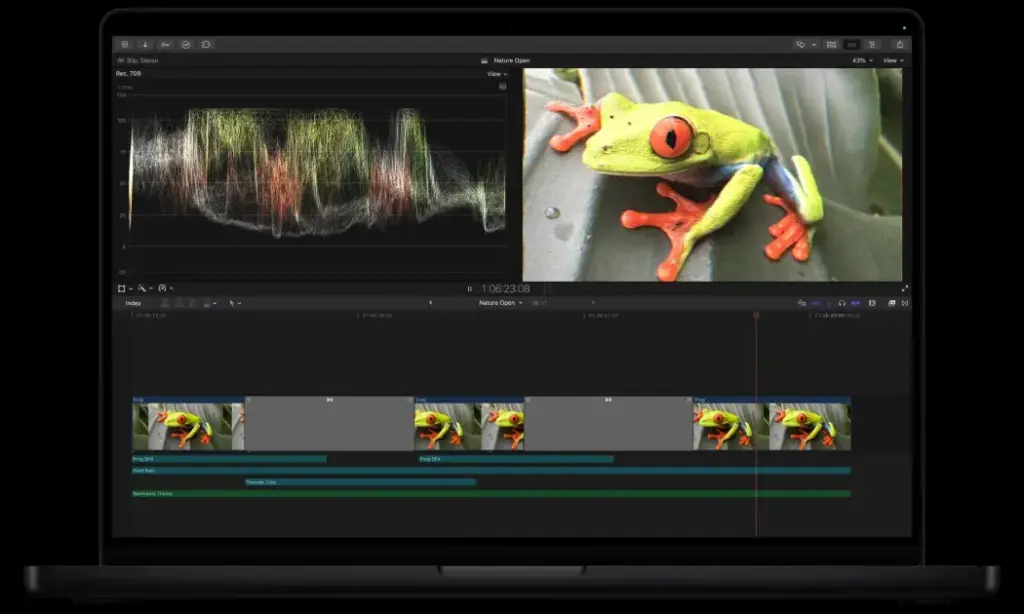
This final cut pro review finds a fast, polished Mac editor with an efficient magnetic timeline and a one-time purchase price. It performs brilliantly on Apple silicon and suits solo creators. It is Mac only, uses a different editing model from rivals, and offers less cross-platform collaboration than Premiere Pro.
Verdict From This Final Cut Pro Review
Final Cut Pro is built around speed. Imports are quick, background rendering keeps playback smooth, and the magnetic timeline automatically closes gaps and keeps clips in sync. On a recent Mac, even demanding 4K projects feel responsive.
Its different editing model is both its charm and its stumbling block. Editors coming from track-based programs may find the magnetic timeline restrictive at first, though most adapt within a week or two.
The lack of a Windows version and a smaller collaboration ecosystem limit its use in teams, but for individuals and small studios on Macs it is a polished, well-priced choice.
Performance and Reliability
Performance is the main selling point. The program is tightly optimized for Apple silicon, so timelines with multiple 4K streams play back smoothly on recent Macs, and exports are often much faster than in competing editors. Background rendering and analysis happen while you keep working. On older Intel Macs the advantage is smaller, and heavy effects can slow playback. Stability is very good, and the program recovers gracefully from interruptions. The main bottleneck is storage, so editing from a fast external drive makes sense for large projects.
Key Features
Magnetic Timeline
Clips attach to each other and ripple automatically, which prevents accidental gaps and sync errors. It is fast for story-driven editing and takes practice if you are used to tracks.
Performance and Rendering
Optimization for Apple silicon means smooth playback and quick exports, and background rendering happens while you work. Choose codecs wisely, and the guide to all-intra vs long-GOP explains why some files edit more smoothly than others.
Organization and Keywords
Libraries, events, keywords and smart collections keep large shoots tidy. Browsing and skimming clips is unusually quick.
Color, Effects and Audio
Color wheels, curves, LUT support, built-in effects and audio tools are enough for most jobs. See LUTs explained and 8-bit vs 10-bit video when you grade log footage.
Frame Rates and Slow Motion
Conforming and retiming are handled cleanly, with optical flow for smooth slow motion. Learn when to use them with slow motion video and conforming frame rate.
Learning Curve and Support
If you have never edited, Final Cut Pro is a friendly place to start, because the interface is tidy and the magnetic timeline prevents many beginner mistakes. If you come from track-based editors, expect a short period of unlearning. Apple provides detailed guides and tutorials, and independent creators publish plenty of courses. Learning the keyboard shortcuts, roles and compound clips will make you much faster. Most people feel productive within a week and comfortable within a month.
Pricing
Final Cut Pro is sold as a one-time purchase through the Mac App Store, typically a few hundred dollars, and a free trial has historically been available. Updates have usually been free to existing owners.
Companion apps such as Motion and Compressor are sold separately. Check the vendor site for current pricing, as bundles and trial terms may change.
Over several years, the one-time price compares favorably with a Premiere Pro subscription, provided you already own a capable Mac.
Is It Good Value?
A single payment buys a full professional editor, and free updates have historically followed. Compared with a subscription, the saving after two or three years is significant. The extra cost comes from plug-ins and companion apps, and from the Mac hardware itself, which is not cheap. If you already own a recent Mac, the value is excellent. If you would have to buy one just to run the program, the comparison with cross-platform editors changes.
Pros and Cons
What It Does Well
- Very fast playback and exports on Apple silicon.
- One-time purchase with no recurring fee.
- Magnetic timeline speeds up story editing.
- Strong organization with keywords and smart collections.
- Clean, uncluttered interface.
Where It Falls Short
- Available only on Mac.
- The magnetic timeline can frustrate editors used to tracks.
- Fewer collaboration features and third-party tools than Premiere.
- Some plug-ins and templates cost extra.
- Exchanging projects with other editors needs workarounds.
Bottom Line
Final Cut Pro is a joy to use for the right person. It is quick, clean and fairly priced, and it makes everyday editing feel effortless on a Mac. Its limits are platform lock-in and a different approach to the timeline that not everyone enjoys. If you work alone or in a small Mac-based team, it is one of the best choices available. If you collaborate with Windows editors or depend on Adobe tools, a cross-platform editor is a safer bet. Use the free trial to find out which camp you belong to.
Who It Is For
Final Cut Pro suits YouTubers, filmmakers, wedding videographers and small businesses on Macs who value speed and a fair price. It is a strong match if you shoot with an iPhone or Apple-friendly cameras.
It is a poor fit if you work on Windows, collaborate in an Adobe-heavy studio, or need advanced color and compositing. In that case, Resolve or Premiere Pro may serve better.
A little knowledge of video basics goes a long way. Understanding frame rates and codecs will make the software behave better.
Getting Started
Create a library, import your footage into an event and use keywords to mark the best clips. Build a project with your chosen resolution and frame rate, then drag clips into the primary storyline. Add connected clips for music and cutaways, and try an audition to compare alternatives. Apply a basic color correction, add titles from the built-in library and let background rendering work while you review. Export with a preset or share directly to your platform. Learn the shortcuts for blade, trim and marker early.
Before You Buy
Before committing to Final Cut Pro, run a short checklist. Confirm that your computer meets the system requirements, download the trial or free version if one exists, and test it on a real project from your own library rather than a demo file. Compare the exported result with what you get from your current tool, note how long each step takes, and check the vendor site for current pricing and upgrade terms. A program that suits the way you already work is worth more than one with a longer list of features.
Alternatives
Alternatives depend on your platform and budget.
| Alternative | Best Reason To Pick It |
|---|---|
| Adobe Premiere Pro | Cross-platform with deep Adobe integration |
| DaVinci Resolve | Free tier and strong color grading |
| Wondershare Filmora | Simpler interface for newcomers |
| Pixelmator Pro | Companion Mac photo editor for stills |
Try the trial before buying, because the magnetic timeline either feels like a revelation or a hindrance, and the trial shows which.
Common Questions
Is Final Cut Pro worth it?
For Mac users who want speed and no subscription, yes. It is excellent value over time.
Does Final Cut Pro work on Windows?
No. It is available only for Mac.
Is the magnetic timeline hard to learn?
Most editors adapt within a couple of weeks, though some prefer the traditional track layout.
Is Final Cut Pro good for professionals?
Yes, many professionals use it, though collaboration and plug-in ecosystems are smaller than Premiere Pro.
Try It Yourself
See what it can do on your own photos and footage.
Some links are affiliate links: if you buy through them we may earn a small commission at no extra cost to you. How this works.