
This adobe lightroom classic review concludes it is still the best all-round tool for photographers with large libraries. Its catalog, raw editing, masking and tethering are mature and fast. The subscription and a somewhat dated interface are the drawbacks, and beginners may find the catalog system confusing at first.
Verdict From This Adobe Lightroom Classic Review
Lightroom Classic is built for people who shoot a lot and need to find, rate, edit and deliver thousands of images without losing track of anything. It combines a database-driven library with a capable raw developer, and it does both jobs well enough that many working photographers never leave it.
It stores your catalog and photos on your own drives rather than in the cloud, which appeals to anyone who wants control over files and speed on a fast local disk. That is also its limit: syncing across devices is not its strength, and the cloud-based Lightroom is the better choice if mobile access matters most.
Recent updates have added AI-driven masks, noise reduction and better performance, so it continues to improve despite its age.
Performance and Reliability
Speed is one of Lightroom Classic strengths when the catalog and previews are stored on a fast drive. Smart previews let you edit when the original files are on a slower or disconnected disk, and the preview cache makes grid browsing quick. Very large catalogs with hundreds of thousands of images can feel slower, especially on older computers, but regular catalog optimization helps. Export times depend mostly on the processor and the number of local adjustments. Crashes are rare, and the program creates catalog backups on request, which you should keep on a separate drive.
Key Features
Catalog and Library Tools
The catalog tracks every photo with ratings, flags, keywords, collections and metadata. Searching by lens, date or rating takes seconds. Good habits matter, so read how to set up a Lightroom catalog before importing everything.
Import and Culling
Import presets apply metadata and develop settings as files arrive, and the compare and survey views make culling reasonably quick. Check Lightroom import settings and culling photos in Lightroom for a smooth first stage.
Raw Development and Tone Curve
The Develop module covers exposure, color, detail, lens corrections and a flexible curve. Raw rendering is clean and predictable. The lesson on the Lightroom tone curve shows how to refine contrast precisely.
AI Masks and Local Edits
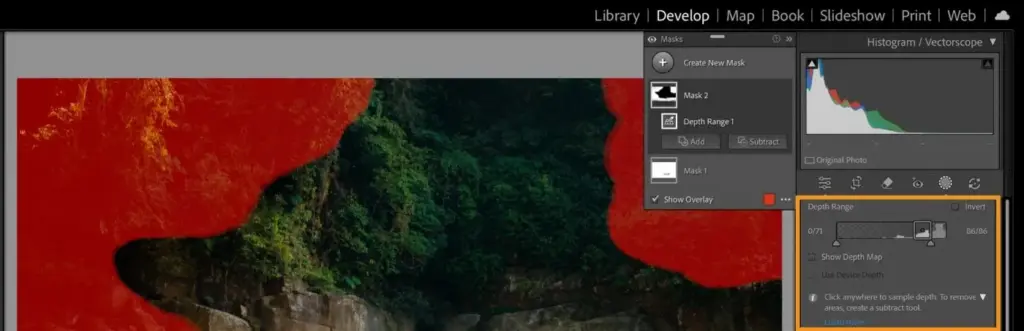
Subject, sky and background masks, plus radial and linear gradients, let you adjust parts of an image without leaving the module. See Lightroom masks for the full set.
Collections and Export
Collections and smart collections organize work without duplicating files, and export presets handle web, print and client delivery in batches. Collections are the best way to keep projects tidy.
Learning Curve and Support
The learning curve is moderate. The Develop module is easy to understand, because every control is a labeled slider. The harder part is understanding the catalog: where files live, how folders map to the library and why moving files outside the program breaks links. Adobe provides tutorials inside the app, and independent educators have covered every feature in depth. Because the interface has changed little over the years, older guides are still useful. Expect to feel comfortable within a couple of weeks of regular use.
Pricing
Lightroom Classic is sold by subscription, most often through the photography plan that pairs it with Photoshop and a modest amount of cloud storage. The monthly cost has generally been in the range of about $10 to $20 depending on storage and region.
There is no standalone perpetual license any longer, and a free trial is typically available. Pricing and plan structure change from time to time, so check the vendor site for current pricing.
The photography plan is strong value if you want both a library manager and a pixel editor, since the two programs hand images to each other with a single click.
Is It Good Value?
For photographers who shoot regularly, the photography plan is one of the better deals in software. You receive a full library manager, a high-quality raw editor, Photoshop and mobile apps for a modest monthly fee. Compare that with buying separate programs and the savings are clear. The weak point is the lack of ownership, so if you stop paying you lose the ability to edit, though you can still export. Keep exported copies of important work and consider storing your original raw files and XMP data independently.
Pros and Cons
What It Does Well
- Fast, searchable catalog suits libraries of any size.
- Raw rendering, masking and noise reduction are consistently good.
- Tethered shooting and batch export suit studio and event work.
- Files stay on your own drives, under your control.
- Presets and profiles can be shared and reused across sessions.
Where It Falls Short
- Subscription only, so you cannot own it outright.
- The catalog concept takes time to understand and can be fragile if mismanaged.
- Large catalogs can feel slower without good hardware.
- Syncing and mobile editing are weaker than in the cloud version.
- The Develop interface has changed little in years.
Who It Is For
Lightroom Classic is aimed at wedding, event, sports and travel photographers who return from a shoot with hundreds or thousands of frames. It also suits hobbyists who simply want one organized archive of everything they have shot.
It is less suitable if you edit mainly on a phone or tablet, or want everything in the cloud. In that case the cloud-based version is simpler. The comparison lesson on Lightroom Classic vs Lightroom spells out the differences.
Beginners should invest an hour in catalog setup, as a messy start is hard to fix later.
Getting Started
Set up a single catalog on a fast drive, choose a clear folder structure such as one folder per shoot, and import with a preset that adds your copyright and basic keywords. Cull first by flagging picks and rejects, then rate the keepers. Edit in batches by syncing settings across similar frames, and use collections to group images for clients or projects. Back up the catalog weekly and the photos continually. Resist the urge to reorganize files outside the program, and always move or rename folders from inside Lightroom Classic.
Before You Buy
Before committing to Adobe Lightroom Classic, run a short checklist. Confirm that your computer meets the system requirements, download the trial or free version if one exists, and test it on a real project from your own library rather than a demo file. Compare the exported result with what you get from your current tool, note how long each step takes, and check the vendor site for current pricing and upgrade terms. A program that suits the way you already work is worth more than one with a longer list of features.
Alternatives
Lightroom Classic competes with both library managers and raw editors.
| Alternative | Best Reason To Pick It |
|---|---|
| Adobe Lightroom | Cloud syncing and a simpler layout |
| Capture One Pro | Excellent tethering and color handling |
| ON1 Photo RAW | Perpetual license option with layers included |
| DxO PhotoLab | Strong lens corrections and noise reduction |
| Photo Mechanic | Faster culling and metadata work before editing |
Many professionals pair a fast culling tool with Lightroom Classic for the final edit, which keeps the catalog lean.
Common Questions
Is Lightroom Classic different from Lightroom?
Yes. Classic stores files locally in a catalog, while Lightroom is cloud-based and syncs across devices.
Does Lightroom Classic work without internet?
Yes. Editing and library work happen locally, and the internet is only needed for subscription checks and cloud features.
Is Lightroom Classic good for beginners?
It is approachable once the catalog is set up, but the extra concepts make the cloud version friendlier for absolute beginners.
Can I use Lightroom Classic without Photoshop?
Yes. The two are separate programs, though they are commonly sold together in one plan.
Try It Yourself
See what it can do on your own photos and footage.
Some links are affiliate links: if you buy through them we may earn a small commission at no extra cost to you. How this works.