
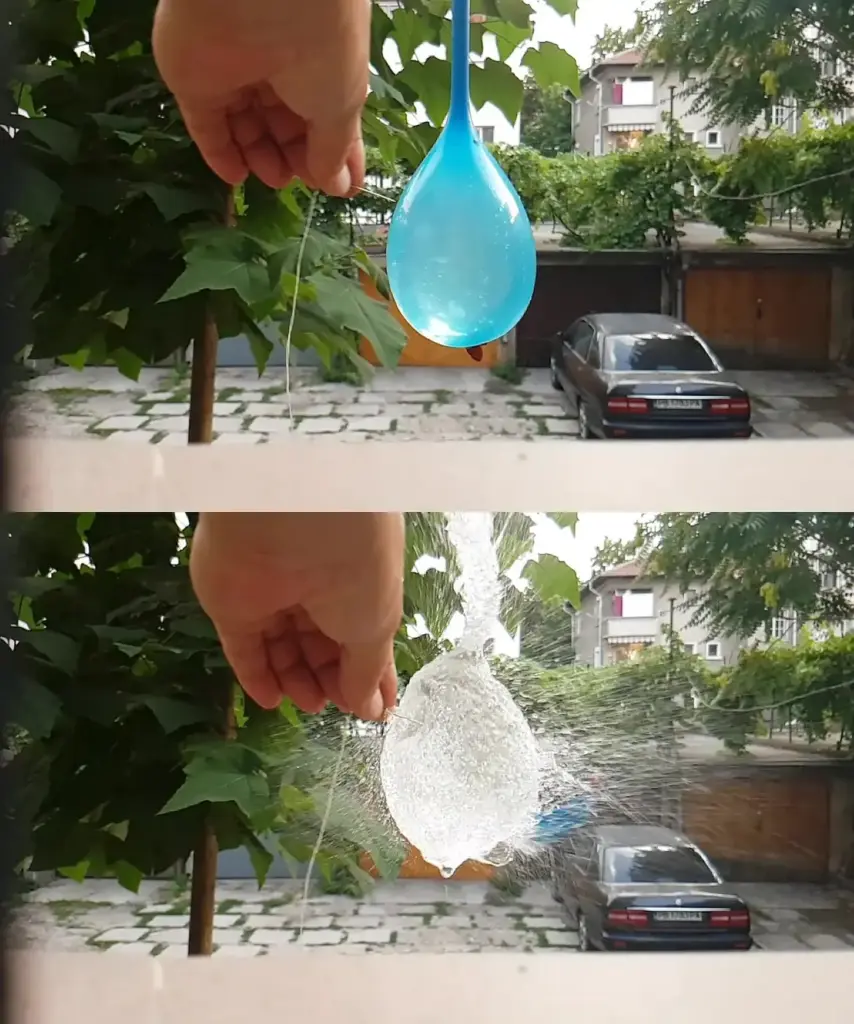
Slow motion video is made by recording at a higher frame rate than you play back, so the action stretches out in time. Shooting 120 fps and playing at 24 fps slows motion to one fifth speed. You need a matching fast shutter, much more light, and a project set up to slow the footage correctly.
Why It Matters
Slow motion turns ordinary action into something worth watching, from a splash to a dog shaking off water. It can also hide flaws when it is overused or shot at the wrong settings, with stuttering motion, noise and soft detail.
The settings are not complicated once you see the math. A handful of habits lead to clean results on any camera that can record at a high frame rate.
Beginner Starting Slow Motion Video With Simple Steps
Normal video plays at the same speed that it was recorded. Slow motion records more frames each second, then plays them at the normal rate. If you record 120 frames in one second and play them back at 24 frames per second, the clip takes five seconds to play, so everything moves at one fifth speed. The slowdown factor equals the shooting rate divided by the playback rate.
| Shoot at | Play at 24 fps | Play at 30 fps |
|---|---|---|
| 60 fps | 40 percent speed | 50 percent speed |
| 120 fps | 20 percent speed | 25 percent speed |
| 240 fps | 10 percent speed | 12.5 percent speed |
A Checklist For Shooting
- Set the camera to a high frame rate mode. Look for 60, 120 or 240 fps in the video menu. Some cameras call it slow and quick or high frame rate.
- Set the shutter speed to double the shooting rate. At 120 fps, use 1/250, and at 240 fps use 1/500. This follows the 180 degree shutter rule.
- Add light. A shutter of 1/250 needs about five times the light of 1/48, so use sunlight, bright lamps or a wide aperture.
- Use a tripod or gimbal. Slow motion exaggerates every shake, because the camera movement is slowed too.
- Check that audio is not expected to match. Most cameras record no sound in high frame rate modes, and sound slowed down is rarely useful.
- In editing, conform the clip to the timeline rate so it plays slowly. See conform frame rate.
What Works Well
- Water, such as splashes, pouring, rain and waves.
- Sports and fast movement, such as a jump, a swing or a runner.
- Hair, fabric and smoke, which look graceful when slowed.
- Emotional moments, such as a look or a smile.
Common Mistakes
- Shooting slow motion with a shutter that is too slow, which keeps motion blur and gives a smeared result.
- Recording in dim rooms, where noise rises quickly at the high ISO needed.
- Using slow motion for everything, which robs it of impact.
- Forgetting to change the timeline settings, so the clip plays at normal speed.
Handy for this: Camera Gimbal — smooth handheld footage. (affiliate link)
Advanced Sensor Crops, Bitrate And Light Requirements At High Speed
Sensor Crops And Resolution Limits
Reading the whole sensor takes time, and the faster the frame rate, the less time there is per frame. To keep up, many cameras crop the sensor at high frame rates, or lower the resolution to full HD or even smaller. A crop narrows the field of view, so a lens appears longer than normal, and the sensor loses some of its low-light advantage because it uses fewer pixels. Some cameras also switch from the full-quality codec to a lower-quality one at high rates. Check what your camera does at each rate by reading the specification table, and test before an important shoot.
Bitrate And Compression
Doubling the frame rate doubles the number of frames per second, and the encoder must fit them in the same or a limited bitrate. At 240 fps, quality can drop sharply, with soft detail and compression artifacts around fast movement. Recording in a high-bitrate intraframe codec, where each frame is compressed on its own, lessens this problem, and it keeps editing smooth. Compare long GOP and all-intra recording in video codecs.
Light Requirements
Each time the frame rate doubles, the maximum exposure time halves, which costs one stop. Going from 24 fps at 1/48 to 240 fps at 1/500 is a loss of more than three stops. Since flicker is also an issue, LED and fluorescent lights can create banding at fast shutter speeds, so for indoor work it is best to use constant, high-frequency lighting or sunlight. A shutter that is too slow keeps blur, yet a faster one needs even more light, so a mix of wide aperture and higher ISO is common.
Interpreting Footage Versus Retiming
There are two ways to slow footage. Interpreting tells the editor to treat the clip as a different rate, for example reading 120 fps as 24 fps, and every recorded frame plays once. Retiming slows it with speed settings on a clip, and the editor may create in-between frames. The first approach is clean. The second can use frame blending or optical flow, which can help with small slowdowns but creates artifacts on fast detail.
Virtual Slow Motion
Optical flow and AI-based frame interpolation can make slow motion from regular footage. The quality varies, and fast motion, repeated patterns and thin objects can distort. It is a rescue tool for shots you did not capture at a high rate, not a replacement for real high frame rate recording.
Speed Ramps
A speed ramp changes the rate within a clip, for example from normal speed into slow motion and back. It needs source footage at a high rate to look smooth, so shoot at least 60 fps for ramped shots. Related ideas appear in video frame rates.
Try It
- Set the camera to its highest full-quality frame rate and a shutter speed of double that rate.
- Record a splash or a hand tossing a small ball in bright light, for about five seconds.
- Drop the clip into a 24 fps timeline and interpret it at 24 fps, and watch it at the slowed speed.
- Repeat with a lower rate, such as 60 fps, and compare smoothness, noise and sharpness.
Common Questions
How many fps do I need for slow motion?
Sixty fps gives a mild slowdown on a 24 fps timeline, and 120 fps gives a strong one. For dramatic effects such as water splashes, 240 fps or more gives extra detail.
Why is my slow motion video blurry or noisy?
The usual causes are a shutter speed that is too slow, too little light that forced a high ISO, or a camera that reduces resolution or quality at high frame rates.
Does slow motion record sound?
Most cameras do not record audio in high frame rate modes. Add music or effects in editing, or record sound separately.
Can I make slow motion from normal footage?
You can, with frame blending or optical flow, but quality is lower than shooting at a high frame rate, especially with fast motion or fine detail.
Related Lessons
- Video Frame Rates to understand the rates behind slow motion.
- Conform Frame Rate to slow footage correctly in editing.
- The 180-Degree Shutter Rule to set the shutter for high speed.
- Video Codecs to choose formats that survive high bitrates.
- Gimbal Basics to keep slowed shots steady.
Gear That Helps With This
Hand-picked kit that makes this lesson easier to put into practice.
Some links are affiliate links: if you buy through them we may earn a small commission at no extra cost to you. How this works.