
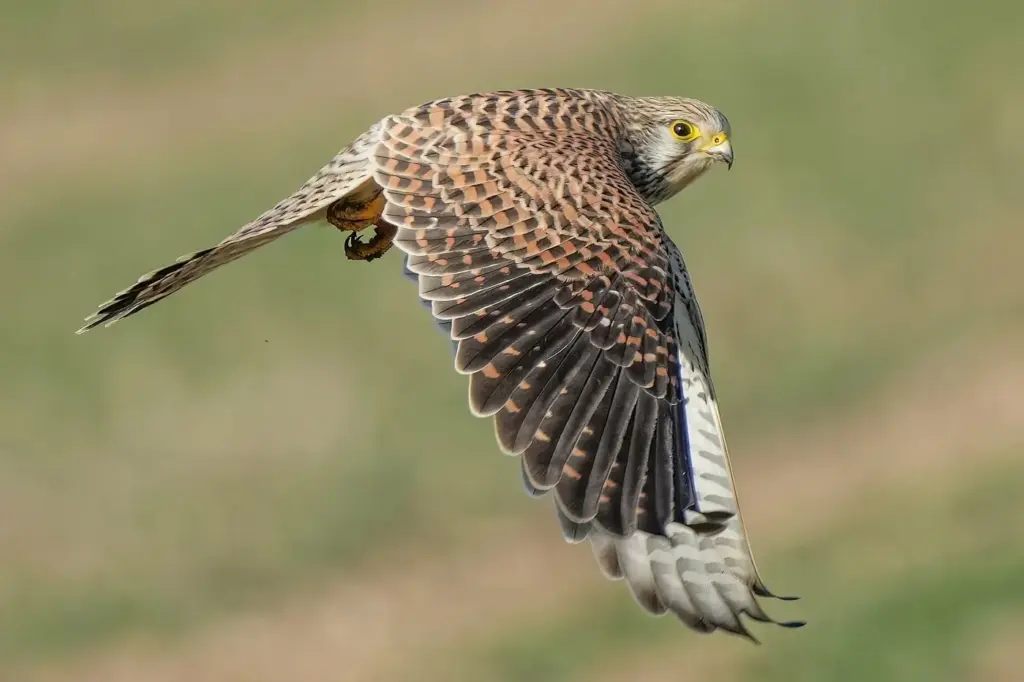
Subject detection autofocus is a camera feature that recognizes a specific kind of subject, such as a person, an animal, a bird or a vehicle, and keeps focus on it, often on the eye. It works with a trained recognition system that analyzes the image. You choose the subject type in a menu, and the camera finds it in the frame.
Why It Matters
Subject detection takes a lot of work off the photographer. Instead of placing a point on a bird as it jumps from a branch, you let the camera recognize it and keep focus on the eye while you frame and time the shot.
It can raise your keeper rate sharply, especially for fast and erratic subjects, but only if the right type is selected and you understand where the system can be fooled.
Beginner Turning On Subject Detection And Picking The Right Subject Type
Find the setting in the autofocus menu. Names differ: Subject Detection, Subject Recognition, Subject Detection Targets, Subject Tracking or Eye Detection. Turn it on, then choose what the camera should look for.
Typical Subject Types
| Subject Type | What It Finds | Use It For |
|---|---|---|
| People | Face, eye, head, sometimes the body | Portraits, events, street |
| Animals | Eyes and faces of cats, dogs and other mammals | Pets, wildlife, zoo |
| Birds | Eye, head and body of birds | Birds perched and in flight |
| Vehicles | Cars, motorbikes, trains, aircraft | Motorsport, aviation, trains |
| Auto | Chooses among the types | Mixed scenes, quick changes |
Setting It Up
- Switch to continuous autofocus so the camera can follow, see continuous autofocus.
- Choose a wide area or a large zone so the camera has room to look. See autofocus area modes.
- Turn on subject detection and select the type, for example Birds.
- Half-press the shutter button. A frame appears around the subject, often a box on the eye or head. Take your photos while the frame stays on.
Choosing One Type Or Auto
A single type is more reliable, because the camera searches for fewer shapes. Auto is convenient but can pick the wrong target. Use a single type when you know what you will shoot, and Auto when you do not. Assigning a custom button to change type is useful.
What To Expect
- It works best with a subject that fills enough of the frame and has a visible eye or head.
- It may lose a subject that turns away, hides behind an object or is too small.
- Several people or animals in the frame may confuse it. You can usually nudge it with the touch screen or a button.
- It does not replace good technique, such as a fast shutter speed.
Common Mistakes
- Leaving the type set to Birds and then photographing a dog, where the camera finds nothing and falls back to the area.
- Using single autofocus, so the camera cannot follow.
- Standing too far from a small subject, so it is too small for the system to recognize.
- Ignoring the frame on the screen. If it sits on the wrong subject, re-aim and press again.
Handy for this: Fast Prime Lens — creamy backgrounds, low light. (affiliate link)
Advanced The Science And Professional Technique Of Subject Detection
How The Recognition Works
Subject detection uses a neural network trained on large numbers of labeled images. The camera processor runs the network on each preview frame, producing boxes and key points such as the eye, head and body, each with a confidence score. The autofocus system then places its measurement area on the highest-confidence box that matches your chosen type. The detection is separate from focus measurement itself, which still relies on phase or contrast information, see phase detection autofocus. Running a network on every frame takes processing power, which is why this feature arrived on faster, newer processors first.
Eye, Face, Head, Body Fallback
Many cameras search in order. They try for an eye, and if the eye is hidden they use the face, then the head, then the body. This fallback keeps focus on a person who looks down or turns away. At wide apertures on close subjects, the eye distance matters: with a person facing the camera at an angle, the near eye is the better target. See eye autofocus for how to choose left or right eye.
Difficult Conditions
- Low light: confidence falls, so boxes flicker or disappear. Raise ISO so the preview is brighter, and use a wider aperture.
- Backlight and silhouettes: the network sees less detail. Use exposure compensation and a larger area.
- Busy backgrounds: birds in foliage or a player in a crowd. Use a small zone with detection to tell the camera where to look.
- Partial subjects: a bird behind twigs or a face behind a mask can lose the eye. Pick the body or head option if your camera allows it.
- Unusual subjects: a bird that looks like a toy, or costumes. Detection may fail, so keep a normal area mode ready.
Pre-Focus And Tracking Combinations
Detection works best with tracking sensitivity matched to the subject. A fast lock-on suits erratic birds and dogs, and a slow lock-on suits a runner in a crowd. See AF tracking sensitivity. Some cameras let you pick a subject by tapping it, which helps in groups.
Speed And Shutter Choices
Detection solves where to focus, not motion blur. Keep a shutter speed that freezes the subject: 1/1000 second for running animals and 1/2000 or faster for birds in flight. Auto ISO with a minimum speed supports that, see auto ISO settings. Electronic shutters and fast burst rates raise the number of frames in each sequence, but check the readout for distortion, see rolling shutter.
Keeping Settings Ready
Save subject type, area mode, tracking sensitivity and drive mode together in a custom mode. One for birds, one for people, one for vehicles lets you change everything in a single turn. See custom shooting modes.
Try It
- Turn on subject detection for people, and photograph a friend from different angles, including turned away. Note when the frame stays on the eye, the face or the head.
- Switch to animals or birds and test with a pet or a bird at a feeder.
- Photograph two people at different distances and nudge the target with the touch screen.
- Try your setup in dim light and see at which brightness the detection frame starts to flicker.
Common Questions
What is subject detection autofocus?
It is a feature that uses image recognition to find a chosen kind of subject, such as a person, animal, bird or vehicle, and then keeps focus on it, often on the eye. It works with the normal focus measurement system.
Which subject type should I select?
Pick the one that matches your subject. Choose People for portraits, Animals for pets and wildlife, Birds for birds, and Vehicles for cars, trains or aircraft. Use Auto if you shoot a mix and do not mind occasional mistakes.
Why does subject detection lose my subject?
The subject may be too small, turned away, hidden or in dim light. Several subjects can also confuse it. Move closer, choose a smaller area, tap on the right subject, or raise the brightness of the scene.
Does subject detection work in video?
On cameras that support it, yes. Many bodies provide face and eye detection in video as well, and newer ones add animal and vehicle detection. Check your manual, because options differ between photo and video modes.
Related Lessons
- Eye Autofocus for sharper portraits with less effort.
- Autofocus Area Modes to set the area detection works inside.
- Continuous Autofocus to follow subjects as they move.
- AF Tracking Sensitivity to tune how the lock behaves.
- Custom Shooting Modes to store one setup for each subject.
Gear That Helps With This
Hand-picked kit that makes this lesson easier to put into practice.
Some links are affiliate links: if you buy through them we may earn a small commission at no extra cost to you. How this works.