
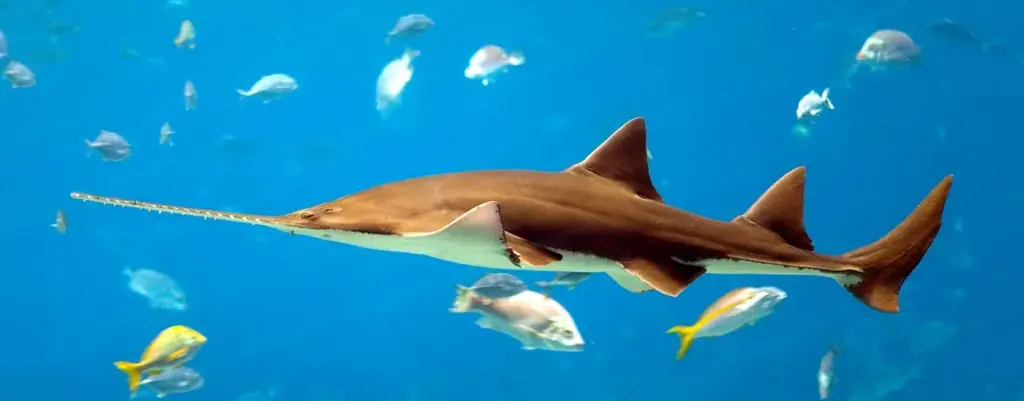
Photographing aquariums means shooting through glass into dim, colored light at moving subjects. Press the lens or a rubber hood against the glass, turn off flash, raise ISO and use a shutter speed of about 1/250 second. Darken the room to remove reflections, and shoot RAW so you can fix color afterward.
Why It Matters
Aquariums, both public and at home, are full of color and motion, but they are hard to photograph. The glass reflects your own light, the tank lights are dim and often tinted, and fish dart around. The right technique solves these problems without much gear, and the same ideas apply to any scene shot through windows. See shooting through glass for more on that topic.
Photographing aquariums is also good practice for dim-light shooting. You learn to balance shutter speed against ISO and to read the scene before pressing the shutter.
Beginner Beating Reflections And Shooting In Dim Light
Get Close To The Glass
Reflections come from light behind you reaching the glass. The best cure is to put the front of the lens or a rubber lens hood flat against the glass, so there is no gap for reflected light. Do not press hard, because it can scratch the glass or the lens. Hold the camera at 90 degrees to the glass, which also reduces distortion and keeps the fish evenly lit.
Turn Off Flash
Flash fires into the glass and bounces straight back as a bright white spot. It also scares fish and is often banned in public aquariums. Switch it off, and use a higher ISO instead.
Starting Settings
| Setting | Suggested Start | Why |
|---|---|---|
| Aperture | Widest, such as f/1.8 to f/4 | Gathers as much light as possible |
| Shutter Speed | 1/250 second or faster | Freezes most fish; use 1/500 for quick species |
| ISO | 1600 to 6400 | Dim tanks need high sensitivity |
| Focus | Continuous with a single point | Follows moving fish |
Step By Step
- Switch off the flash and any app that lights the screen.
- Wear dark clothing, or hold a jacket or dark cloth behind the camera to block your own reflection.
- Set the lens to its widest aperture, then choose a shutter speed of 1/250 second and let ISO adjust automatically with a maximum around 6400.
- Put the lens against the glass, aim straight on and wait for a fish to swim into an open space.
- Shoot short bursts, and check the screen for reflections and focus.
Common Mistakes
- Shooting from an angle, which adds reflections and blur from the thick glass.
- Using slow shutter speeds that blur the fins and tails.
- Focusing on the glass, scratches or algae instead of the fish.
- Standing in front of a bright screen or sign, which paints its reflection onto the glass.
Simple Ideas
Wait for fish to pass a plant or a rock for a natural frame. Photograph jellyfish against a dark background, where their glow stands out. Focus on a single fish and let the others melt into soft color. Shoot a child with their face lit by the tank glow for a silhouette-style portrait.
Handy for this: Carbon Fiber Tripod — sharp at slow shutter speeds. (affiliate link)
Advanced Reflection Control, Shutter Speed And Tank Light Color
Polarizing Filters And Dark Cloth
A circular polarizing filter can reduce reflections at an angle, but in front of an aquarium you usually shoot straight on, where the filter helps less. It also costs about one to two stops of light, which is a heavy price in dim tanks. A dark cloth or jacket works better in most cases, because it blocks the source of the reflection. Clean the glass with a microfiber cloth first, if the tank is yours, and wipe both sides.
Shutter Speed For Different Fish
Slow, drifting species such as jellyfish, rays or seahorses can be sharp at 1/60 to 1/125 second. Medium swimmers such as angelfish need 1/250 second. Small, fast fish such as tetras, and darting schools, need 1/500 second or more. If light is limited, accept a higher ISO, because a sharp noisy picture is better than a smooth blurry one. See the shutter speed guide and auto ISO settings for ways to automate this.
Autofocus In Dim Light
Fish move unpredictably, and contrast is low. Use a single focus point or a small zone, and aim it at the eye or the high-contrast edge of a body stripe. Modern cameras with subject detection can lock onto fish, though results vary. Prefocus on a spot where fish pass, such as near a rock, and shoot when one arrives. The ideas in subject detection autofocus apply here.
Tank Lights And Flicker
Many LED tank lights are dimmed using pulse width modulation, which flickers faster than your eye can see. At fast shutter speeds, it can produce dark bands across the picture. Slow the shutter slightly, try 1/125 second, or enable anti-flicker shooting if your camera supports it. Public aquariums often use mixed lighting that changes as fish move, so check your frames. The feature is described in anti-flicker shooting.
Correcting Color Casts
Tank lights are often blue, purple or green, and water adds its own tint. Auto white balance guesses poorly in these conditions. Shoot RAW, and correct the color afterward by clicking on a white or gray object in the tank, such as sand or a rock. If you have a gray card, photograph it against the glass once, and use that frame as a reference. Do not neutralize everything: a blue reef scene should still look blue. See custom white balance for the method.
Glass Thickness And Distortion
Thick acrylic or curved glass, as in public tunnels, bends light and softens detail. Shoot square to the surface, and keep the lens near the glass. A wide-angle lens near the glass makes fish look larger but adds edge stretching, so choose a moderate focal length, such as 35mm to 50mm, for natural shapes. Brighter lenses such as a 50mm f/1.8, described in fast lenses, are well suited to tanks.
Photographing Aquariums In Public Venues
Public aquariums add crowds, moving walkways and very dark halls. Arrive when the doors open, since fewer people means fewer reflections from phone screens and clothing. Ask whether tripods are allowed, and expect the answer to be no in most places. Choose exhibits with spotlights above the water, such as jellyfish tanks and coral displays, because they give the most light per fish. Be polite and step aside for children, who often press close to the glass. Check your frames every few minutes, since the lighting in big tanks changes with the day cycle.
Try It
- Visit a pet store or home tank and photograph with your lens touching a rubber hood against the glass and the flash turned off.
- Compare shots taken straight on and at a 45 degree angle, and note the reflections.
- Take the same fish at 1/60, 1/250 and 1/500 second and check which freezes the fins.
- Shoot RAW and fix the white balance by clicking on a neutral object in the tank.
Common Questions
How do I avoid reflections in aquarium photos?
Put the lens or a rubber hood against the glass, turn off the flash and dim the room lights. Wear dark clothes or hold a dark cloth behind the camera. Shoot straight on rather than at an angle.
What shutter speed is best for fish?
Use about 1/250 second for most fish, 1/125 second for slow ones such as jellyfish, and 1/500 second or faster for small, fast species. Raise ISO to keep those speeds.
Can I use my phone to photograph an aquarium?
Yes. Turn off the flash, press the phone against the glass and tap on a fish to set focus. Night mode helps in dim light, but fast fish may blur because it uses long exposures.
Why are my aquarium photos blue or green?
Tank lights and water tint the scene. Shoot RAW, then set white balance by clicking a neutral object in the tank. Keep a little of the blue so the scene still looks natural.
Related Lessons
- Shooting Through Glass for reflections in windows and cases.
- Shutter Speed Guide to choose speeds for moving subjects.
- Auto ISO Settings to set a safe high ISO limit.
- Anti-Flicker Shooting to reduce banding under LED lights.
- Custom White Balance to correct tinted tank light.
Gear That Helps With This
Hand-picked kit that makes this lesson easier to put into practice.
Some links are affiliate links: if you buy through them we may earn a small commission at no extra cost to you. How this works.